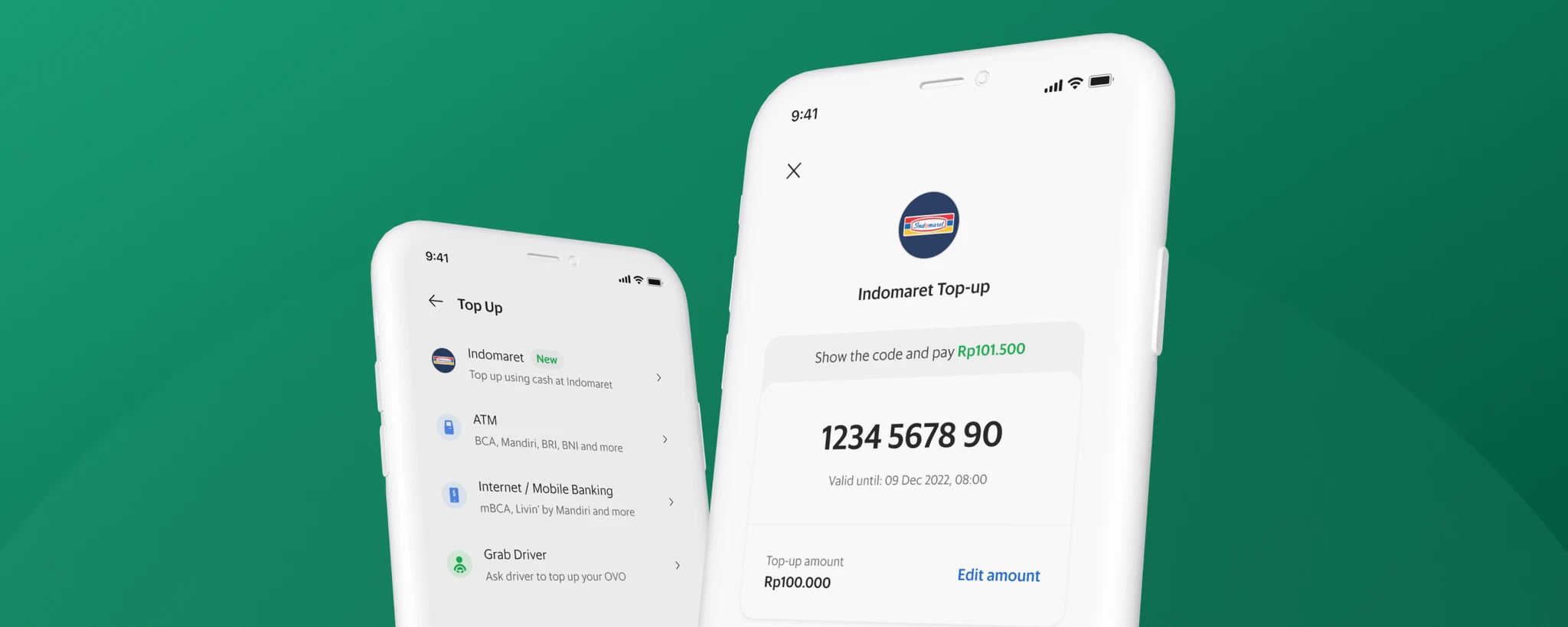

OVO Top Up via Indomaret in Grab Platform
In order to improve OVO penetration as a preferred payment method in Grab, we are experimenting with new top-up methods to eliminate the inconvenience of current top-up channels, which has become a barrier for users.
Responsibility
Craft end-to-end experience, usability testing, design workshop
Duration
3 Months (Nov 2022 - Feb 2023)
Platform
Grab is a popular ride-hailing app in Southeast Asia. In Indonesia, users can pay for their Grab using a e-wallet called OVO.
Impact 🔥
- Converted 10% of users from cash to cashless
- Increased the Top-Up Completion Rate by 26%
BACKGROUND
Cash is the dominant payment method for Grab services, followed by OVO. Based on our research, Inconvenient top up channel for non-bank user is a key barrier for OVO penetration
Our data also shows that switching from cash to OVO can increase transaction value by over 50%. Therefore, this problem is really worth it to solve.
WHAT IS AN INCONVENIENT TOP-UP CHANNEL?
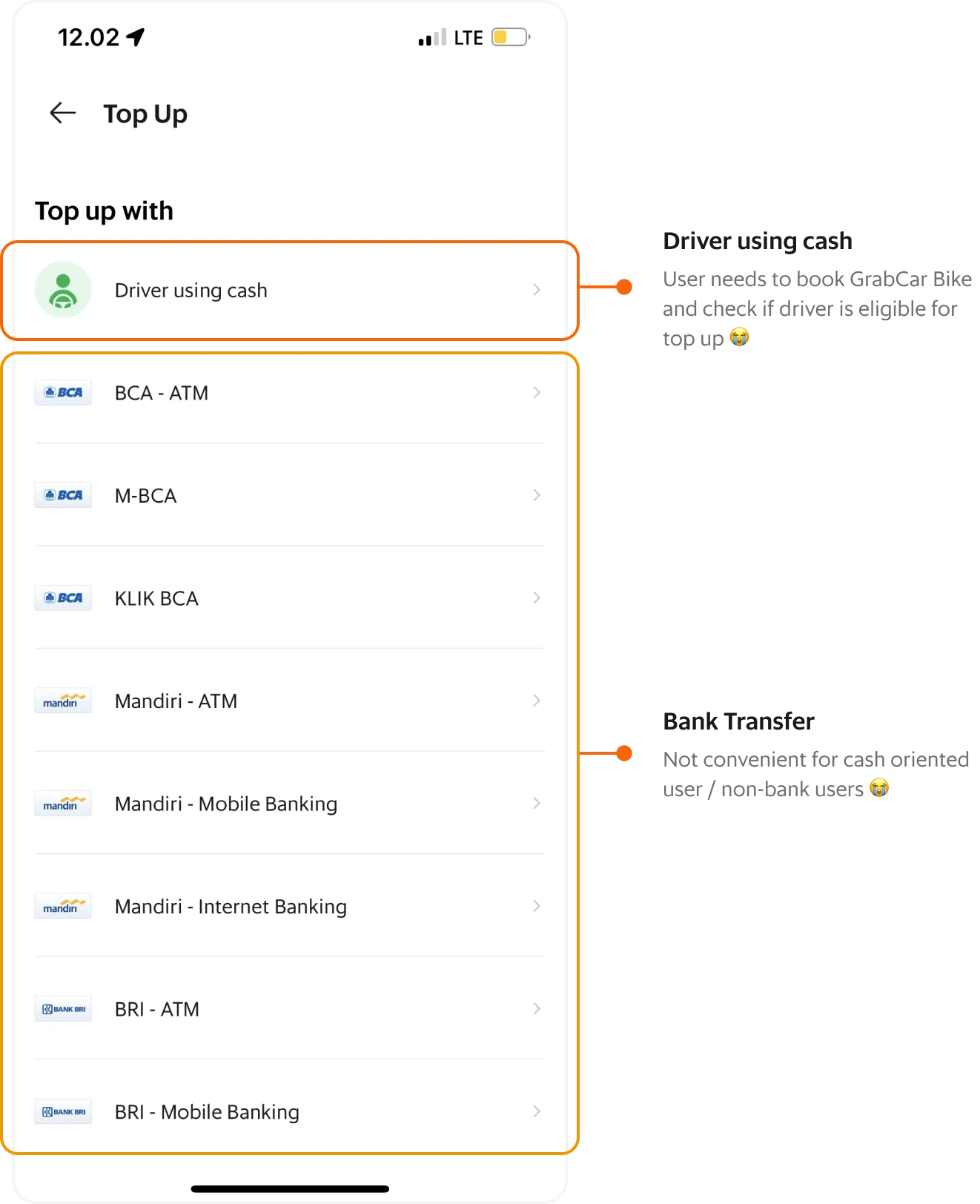
Most OVO top-up options on the Grab app don't accept cash. The only channel that does accept cash (topping up through a Grab driver) requires booking a Grab ride first, which is inconvenient
The fact that most OVO users on Grab receive their income in cash creates a barrier for them to use OVO as a payment option.
PROBLEM STATEMENT
How might we provide a convenient top-up channel for cash-oriented Grab users?
SOLUTION
Introducing OVO Top-up via Indomaret
Once the problem statement is defined, it's my responsibility as a designer to facilitate a session with the Product Manager, Business Team, Research Team, and Engineers to come up with solutions to solve the problem. Based on discussion and research results, topping up through mini-markets is one of the best alternatives for users who don't have a bank account.
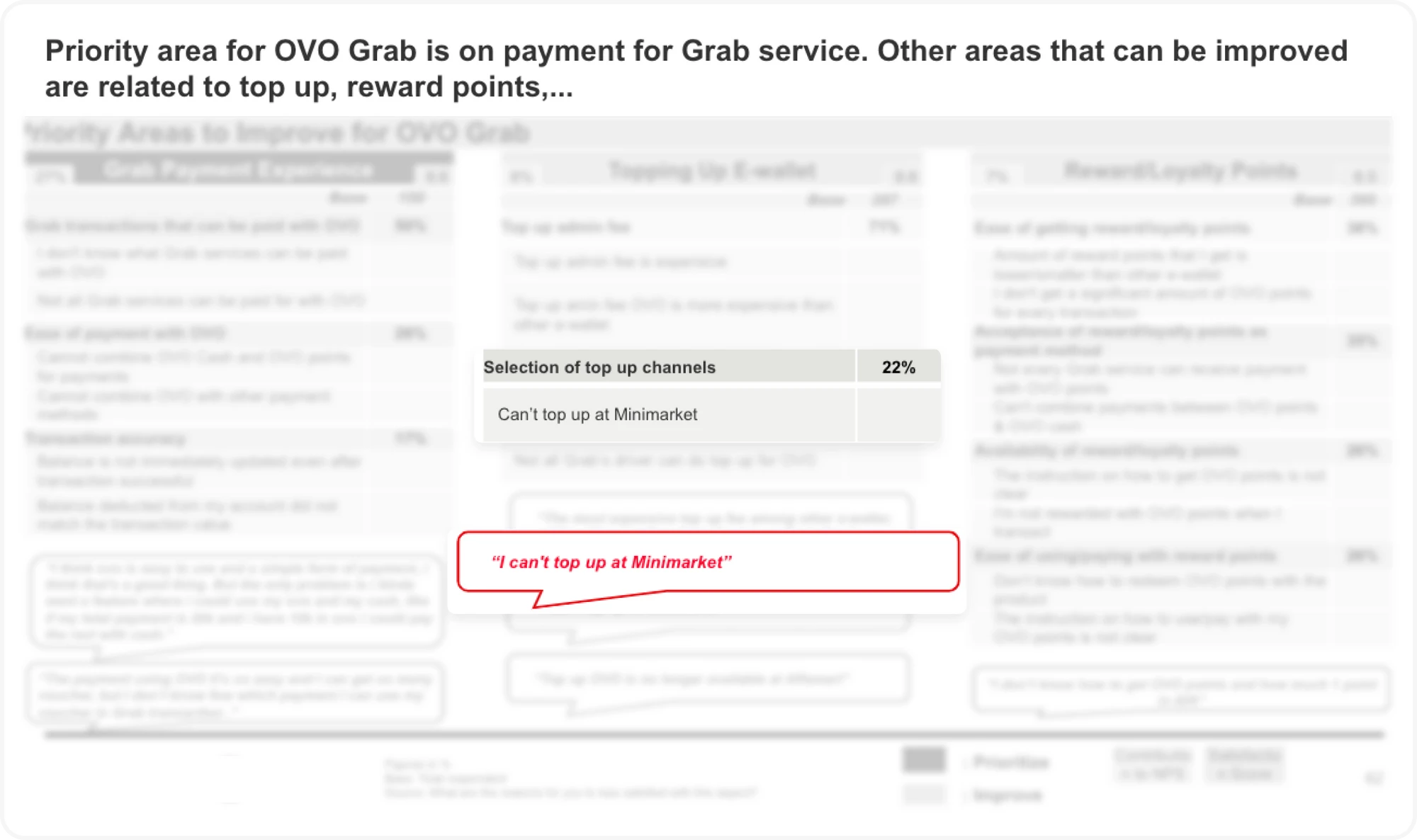
Why did we choose Indomaret over other minimarkets?

Indomaret has over 18,000 stores conveniently located near homes and workplaces throughout Indonesia, and accepts cash for top-ups.
TARGET USER
Non-bank customers who lack technology literacy.
Based on user profiles, people who don't have a bank account typically have limited technological literacy. We keep this in mind when designing solutions that are easy to use intuitively.

USER FLOW
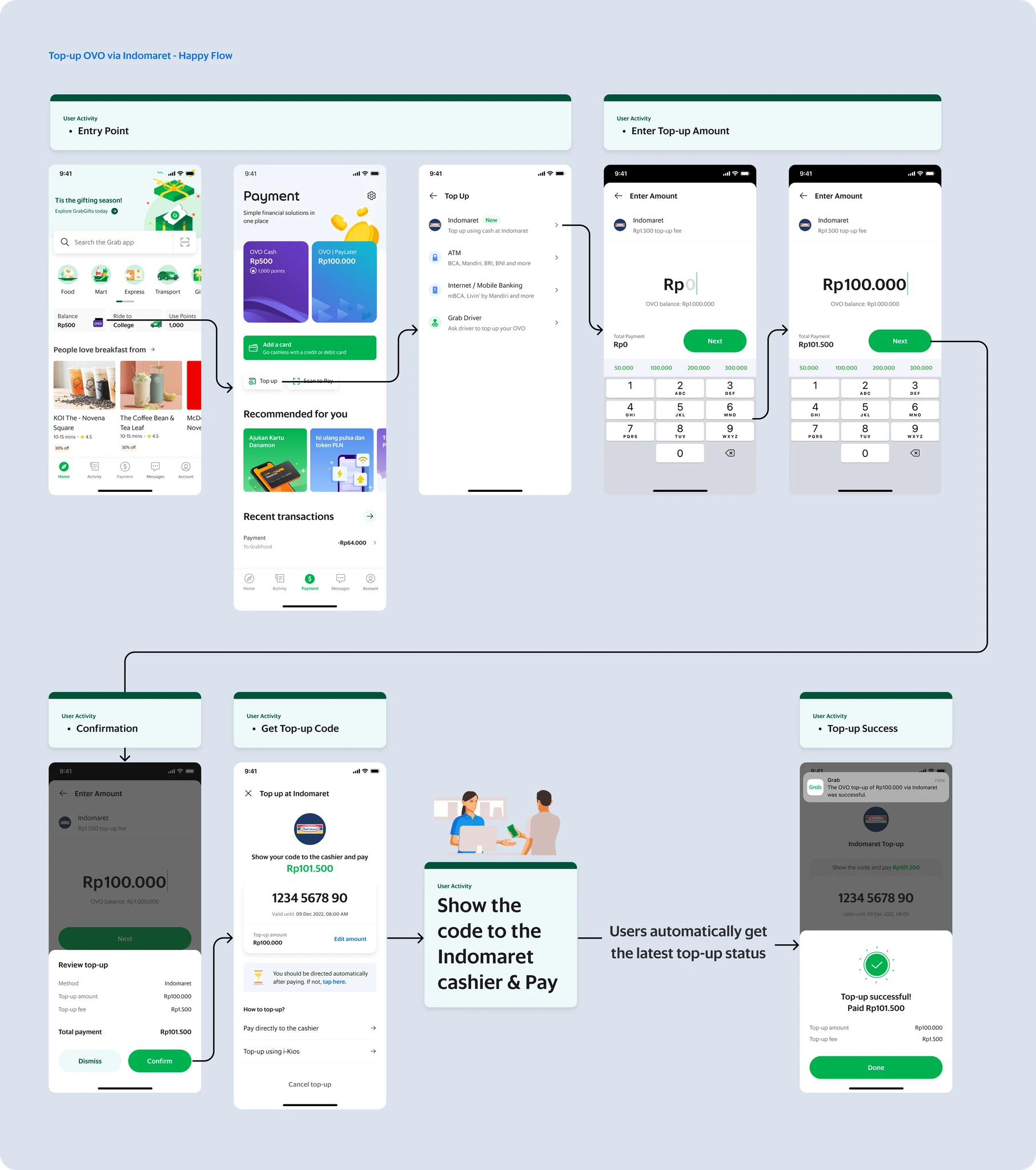
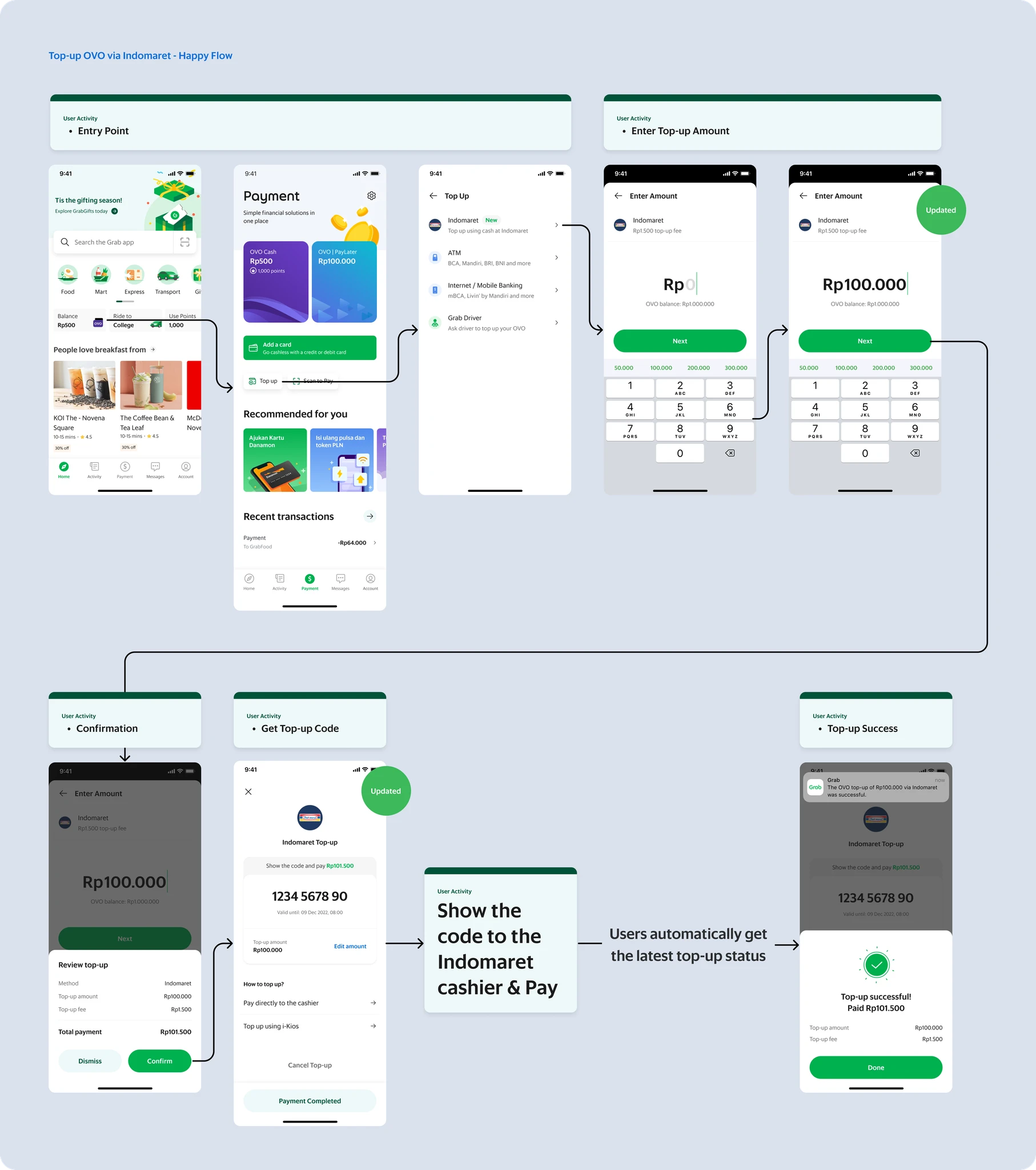
Happy Flow of OVO Top-up via Indomaret
Regarding the top-up flow, Indomaret has its own system and process for every partner who wants to collaborate with them. In that sense, we need to follow their regulations and are not allowed to adjust the flow provided.

DESIGN
High Fidelity Design - Happy Flow
Let's look at the end-to-end happy flow first before we analyze into the individual design decisions I made.
DESIGN
Let's breakdown the design.
Here is a more detailed analysis of the designs I have made.
Feature Awareness
The Top Up page, where Indomaret top-up is located, currently has low visibility. Users need to access it from the Payment page, but data indicates that the page receives low traffic. To ensure that users are aware that this feature exist, we must enhance the visibility of this feature beyond the Payment page and promote it accordingly.
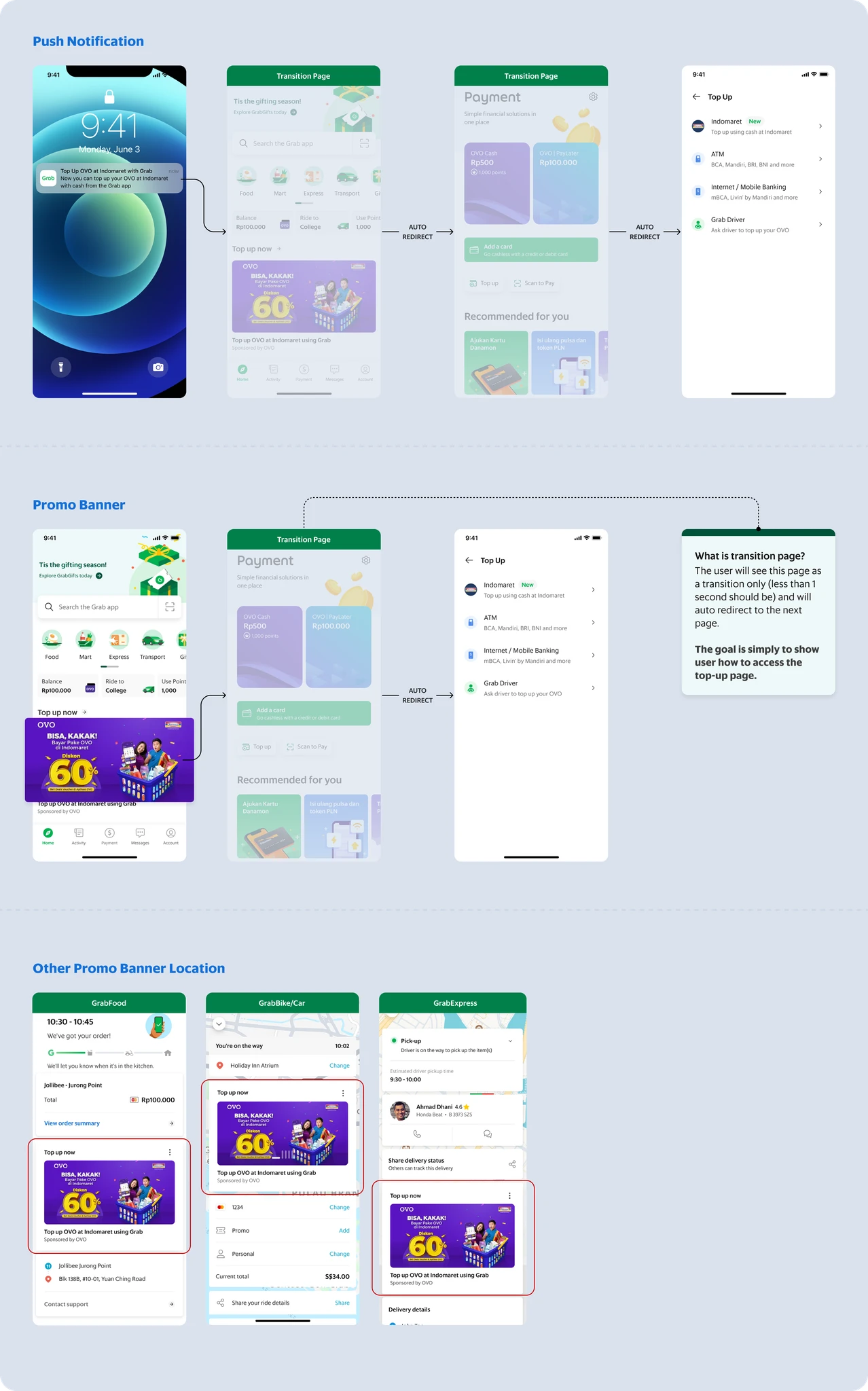
Why did we choose this approach?
Push Notifications 🔔
- 16% of OVO app users find out about Indomaret top up from push notification.
- It is the 2nd largest in-app source of awareness.
Promo Banner 📣
- Can be placed in Home page & Grab popular services (Grab Rides, Food, Express) where traffic is the highest.
Entry Points
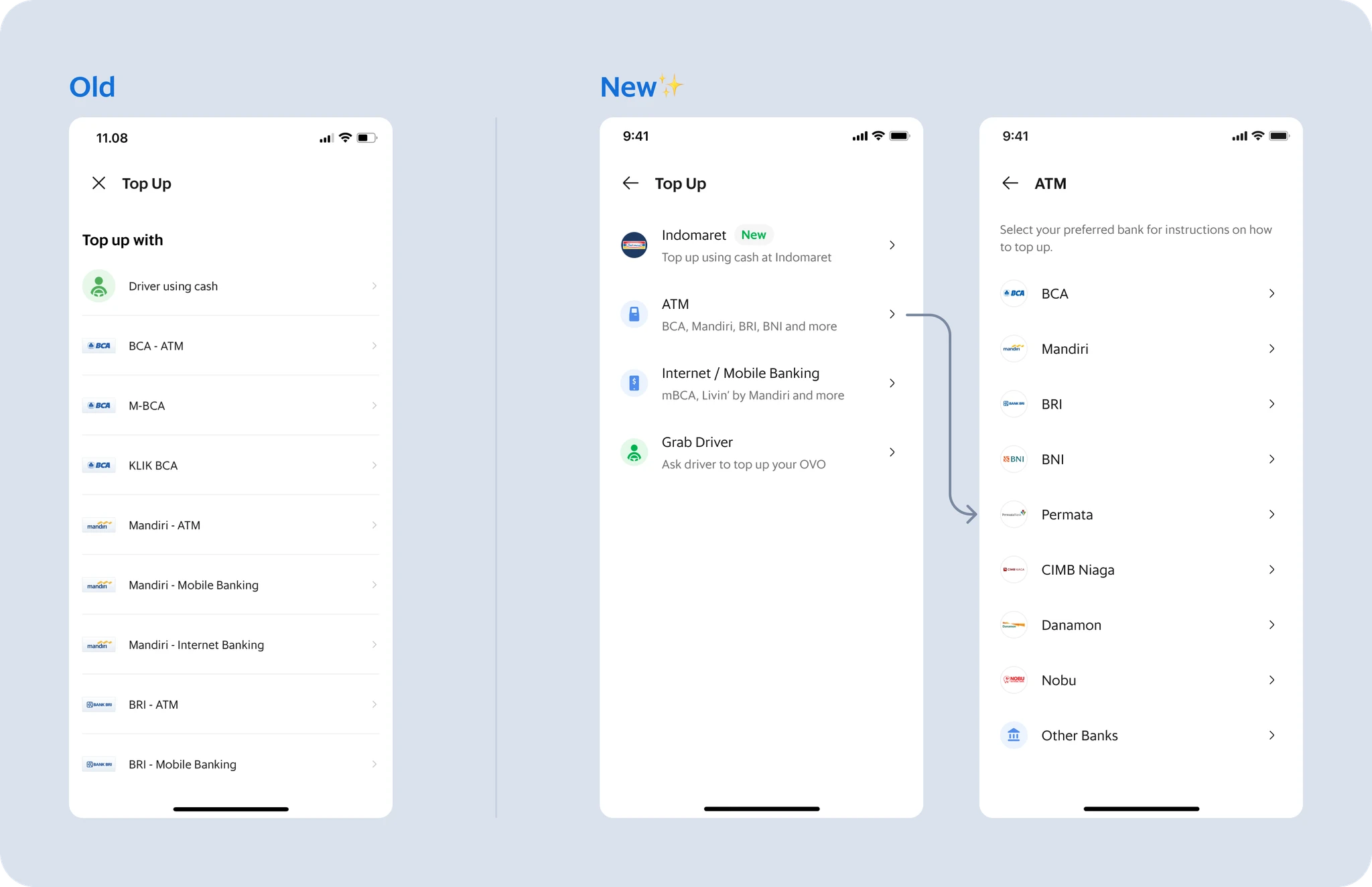
Initially, we aimed to improve the top-up list page because it was challenging to differentiate the methods, which only had logos and similar titles. Thus, we suggested adding categorization and descriptions to the top-up list. This would make it easier for users to find the most suitable method and also enable us to scale the design when new methods are added.
Enter Amount
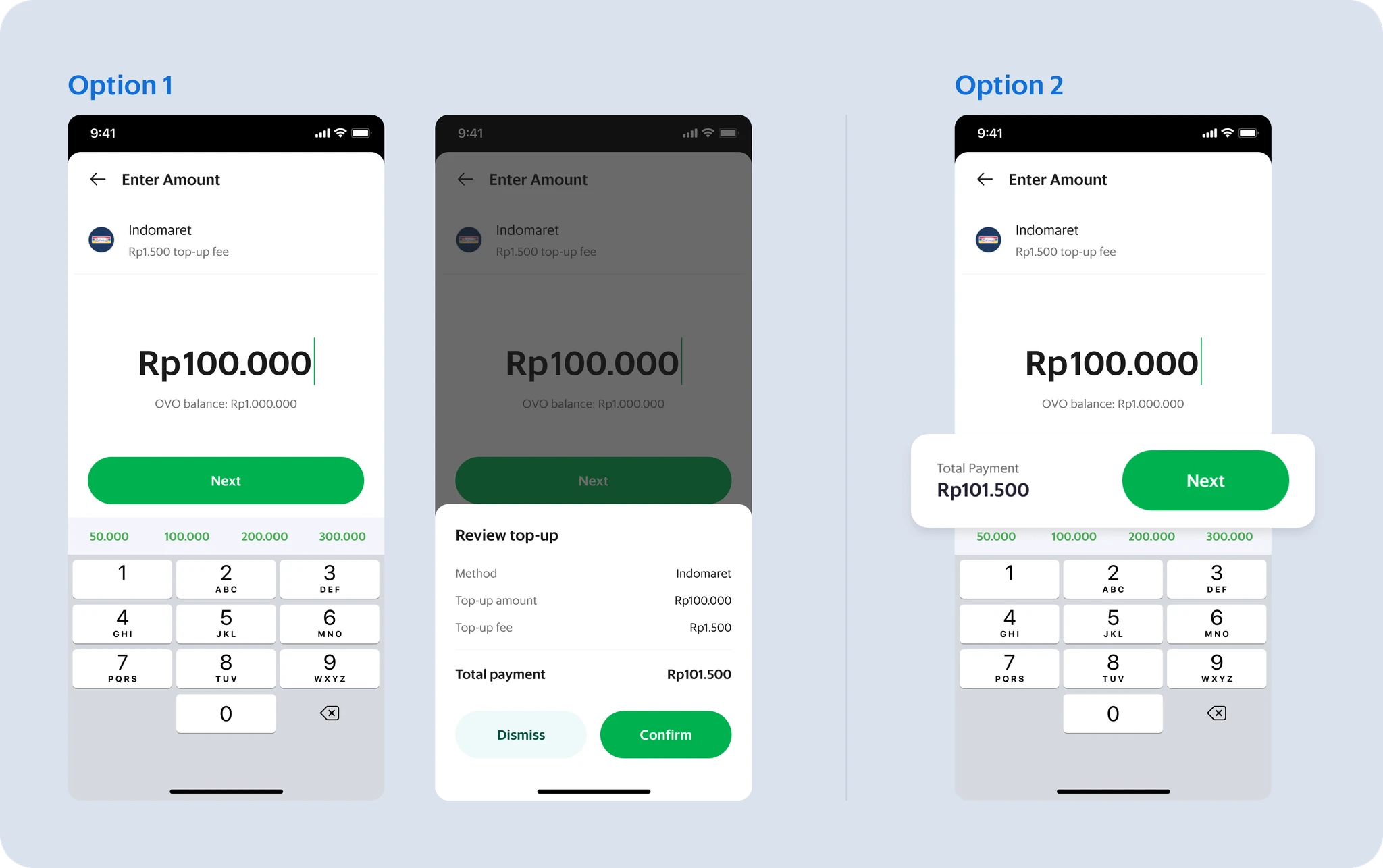
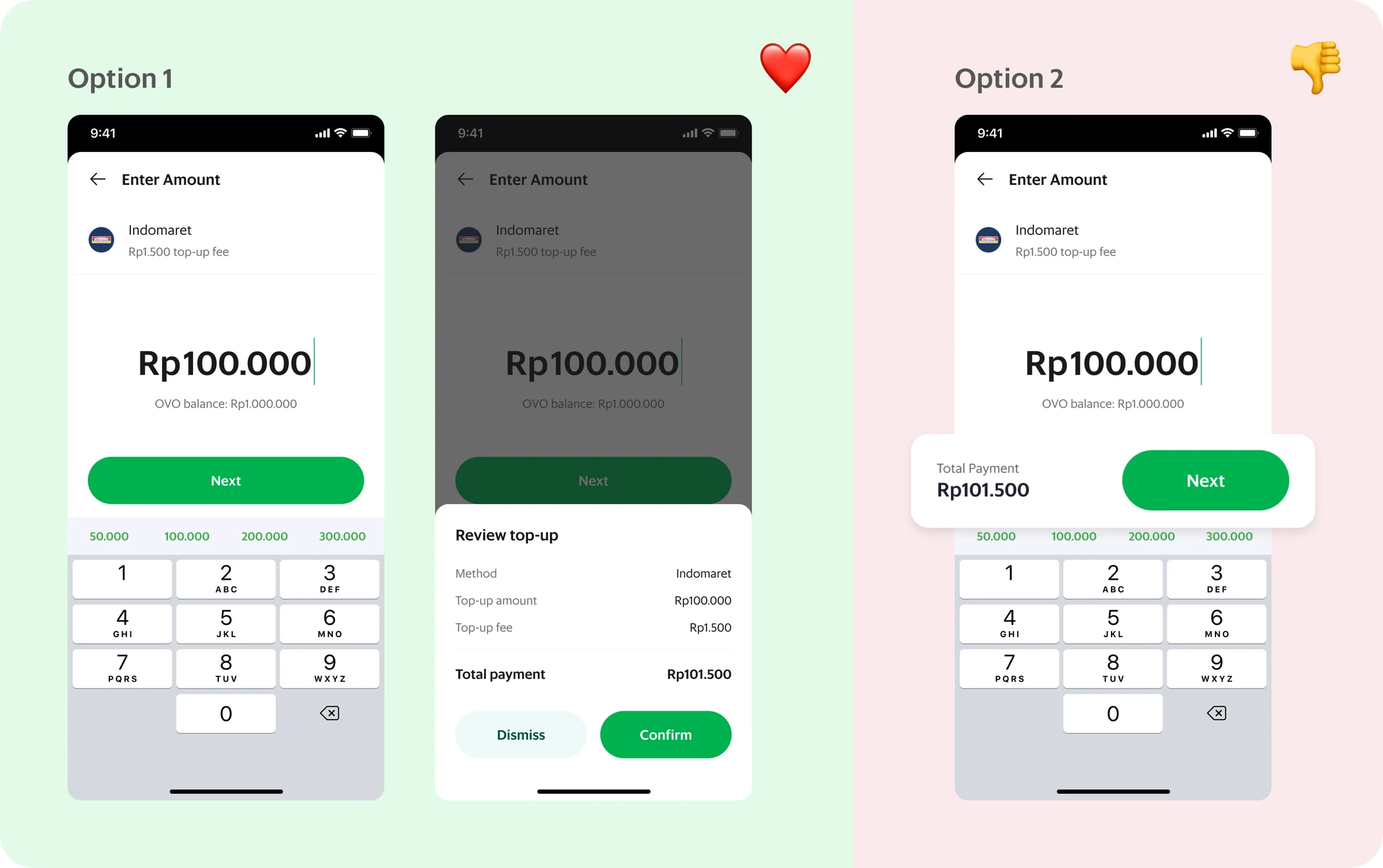
For context, the first option for the "Enter Amount" page is a Grab design pattern that must be followed as it has already been implemented in many countries (expect Indonesia). This imposes limitations on changing the position of information and only allows for the addition of new information or components. With that condition, we planned to:
- Conduct a usability test to determine if the pattern is also works in Indonesia.
- Provide 2 design options to test:
Option 1
We just reuse the existing grab enter amount page. There is no total payment info on enter amount page.
Option 2
We added the "Total Payment" info on the "Enter Amount" page. This eliminates the need to display a confirmation bottom-sheet "Review top-up".
Top-up Code
The main use case of this page is to show the code to the cashier to process the top-up payment. In that sense we decided to highlight 2 informations to help the user gets the job done:
- Quick guide + Total Payment
- Top-up Code
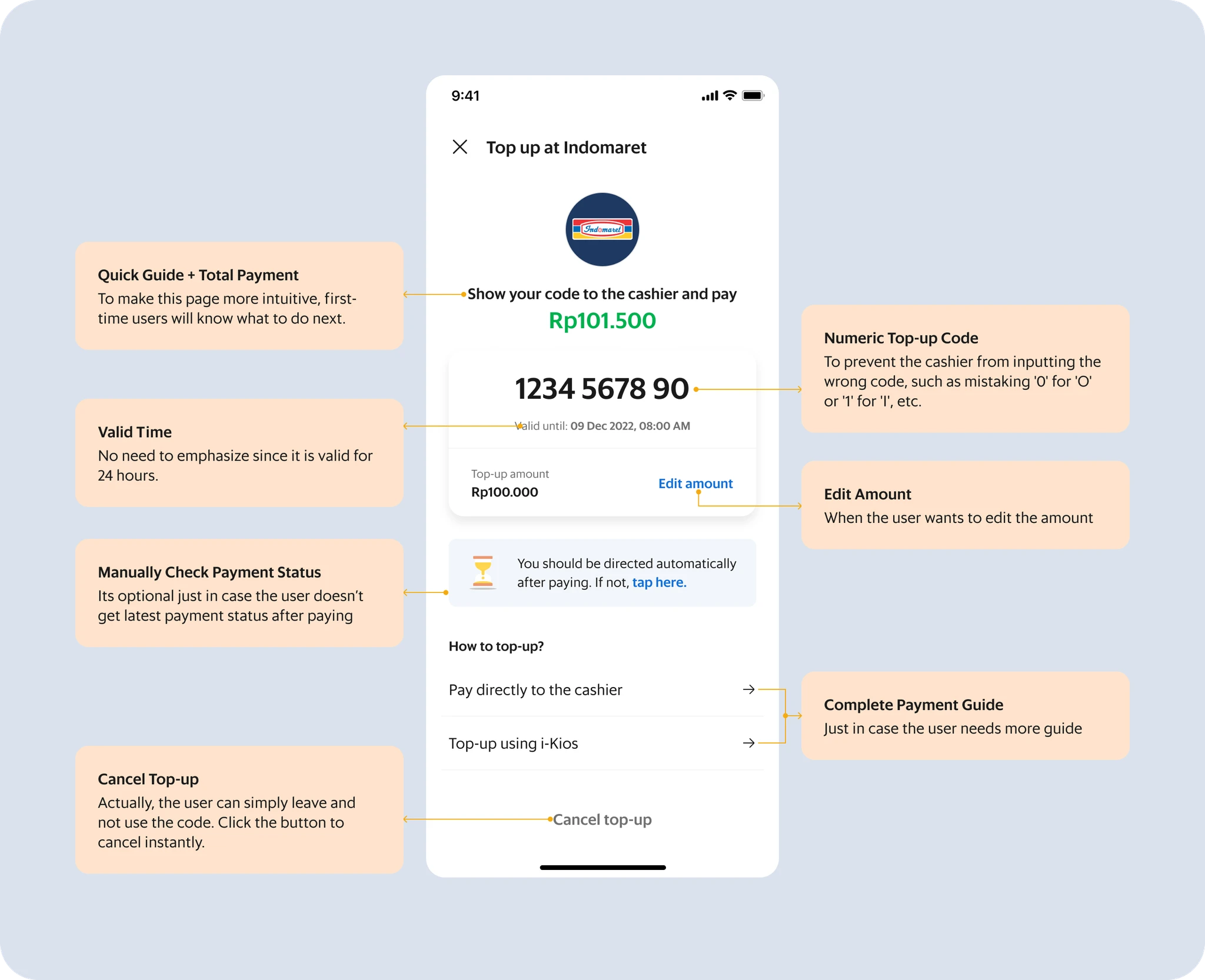
Why don’t we use the barcode for better experience?
The effort to simply scan the code will be much smaller compared to manually entering the code from the cashier's side. But unfortunately, due to Bank Indonesia Rules, We may can’t use other methods that work similarly to QRIS, such as barcodes.
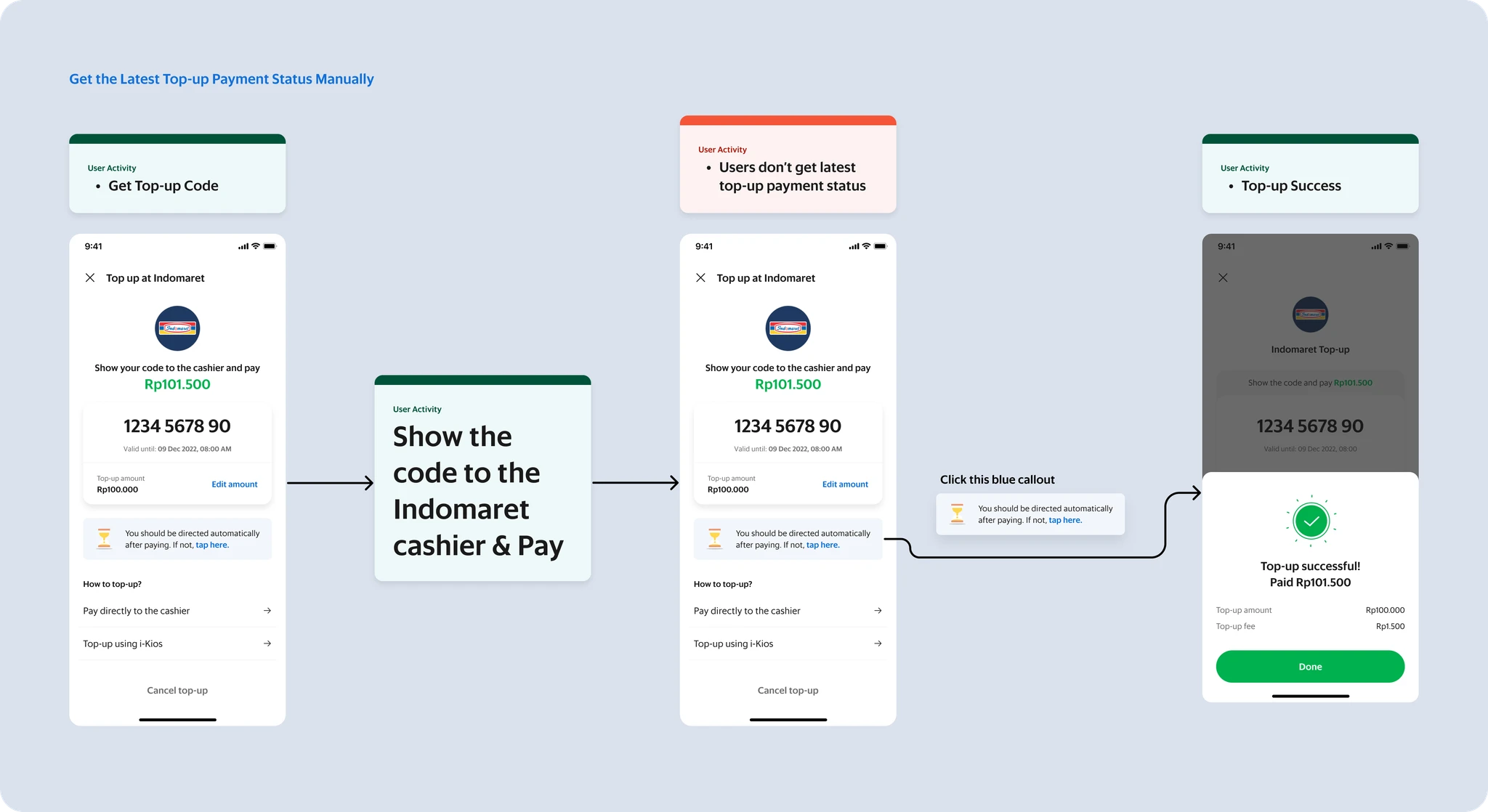
Get the Latest Top-up Payment Status Manually
In most cases, users will get the latest top-up payment status automatically after they make a payment. However, there is an edge case where the user may not receive the latest top-up payment status due to an error from OVO or Indomaret. In such cases, there are several things that users can do:
- Users can close the code page and check if their balance has been updated or not.
- The user can click on the callout that says, "You should be directed automatically..." which is located on the code page.
VALIDATION
Usability Testing
Considering that the target users for the Indomaret Top-up feature are heavy cash users and not tech-savvy, we decided to conduct usability testing with four users who fit these criteria. The following are the results.
Users are unaware of the 'Total Payment' displayed on the Enter Amount page
Initially, we assumed option 2 would be better due to fewer user steps. However, user testing revealed higher error rates with option 2. The issue was that excessive information on the Enter Amount page caused users to overlook important details. As a result, many users had to return to the Enter Amount page after generating the top-up code. In contrast, option 1 simplifies the process by focusing on one task per page, enhancing user understanding.
Users struggle to scan relevant information
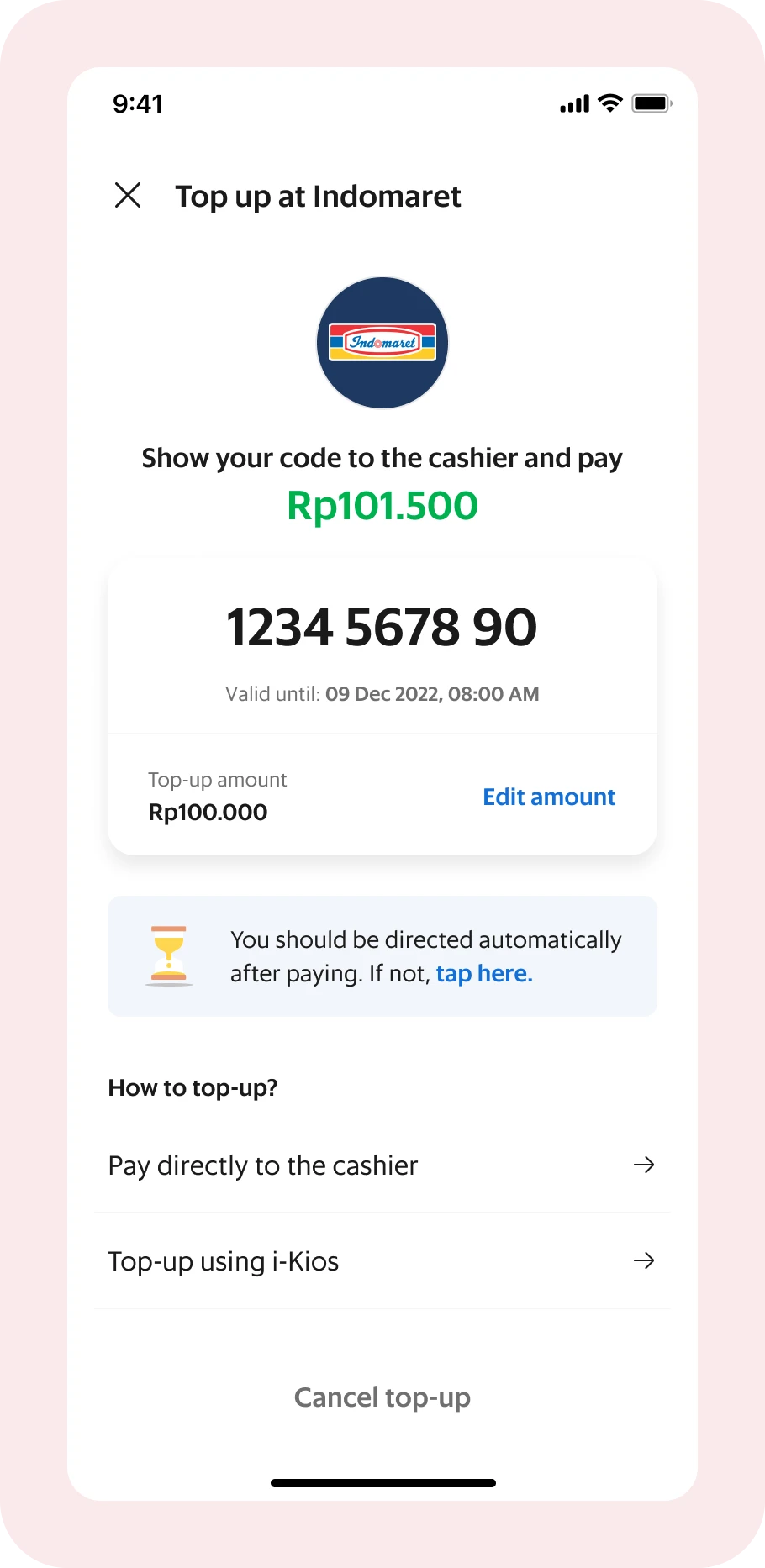
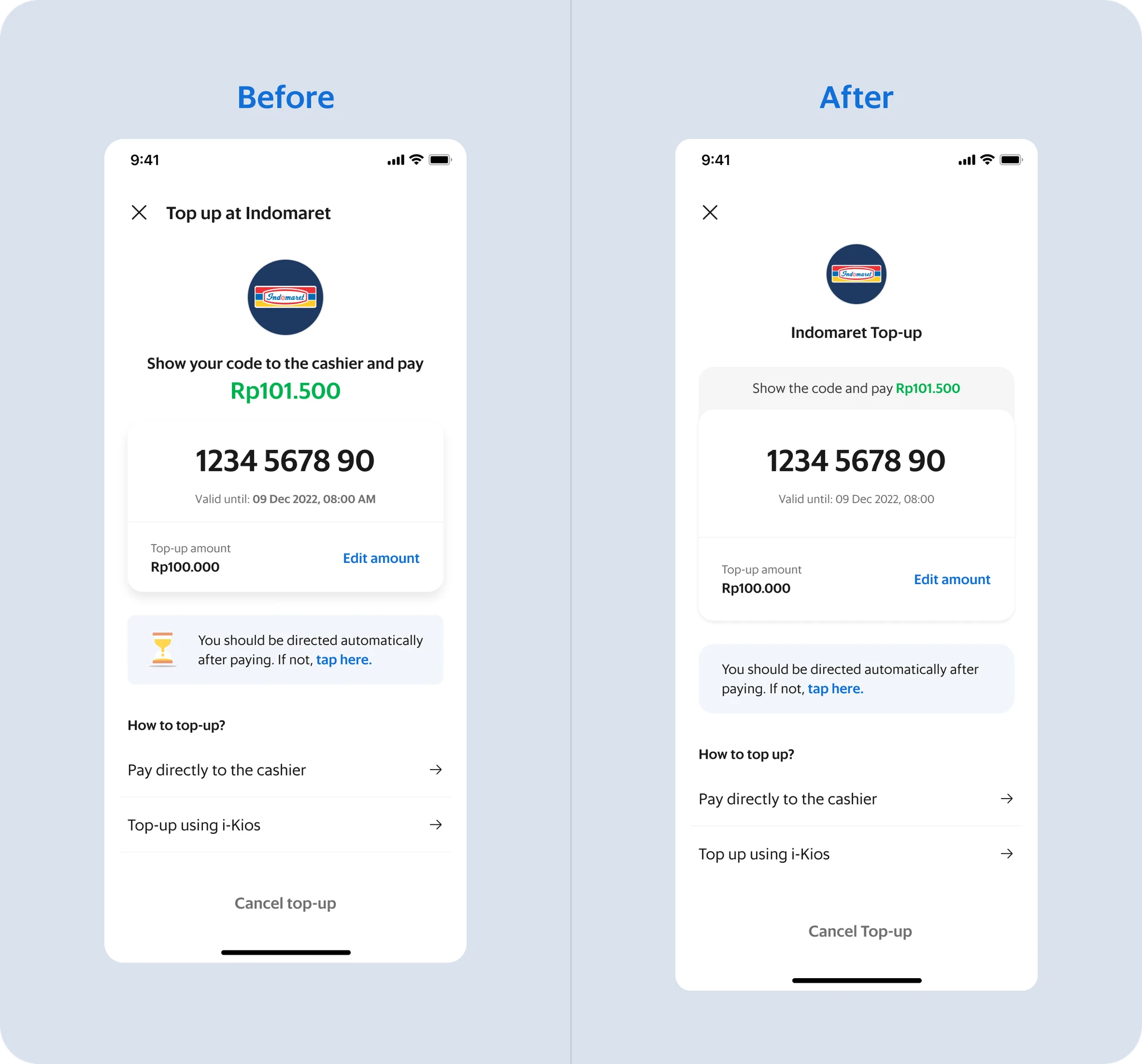
Test respondents and fellow designers have raised concerns about the page's heavy text and lack of focus in visual design, making it difficult for users to quickly find relevant information. As a result, we have decided to simplify the page by reorganizing information, using visual affordances, and highlighting only the pertinent details.
Users are unsure how to proceed if they don't receive the latest top-up payment status
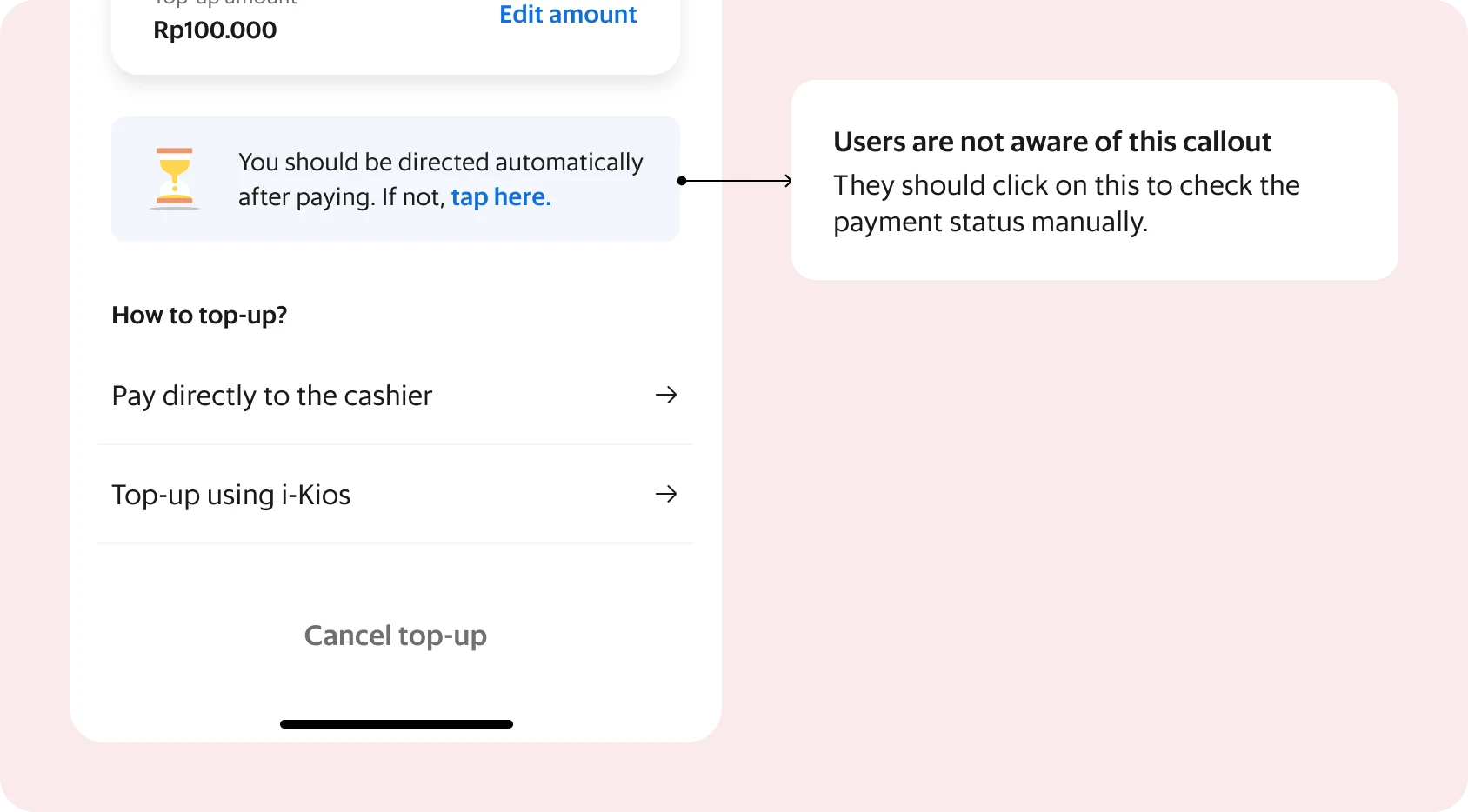
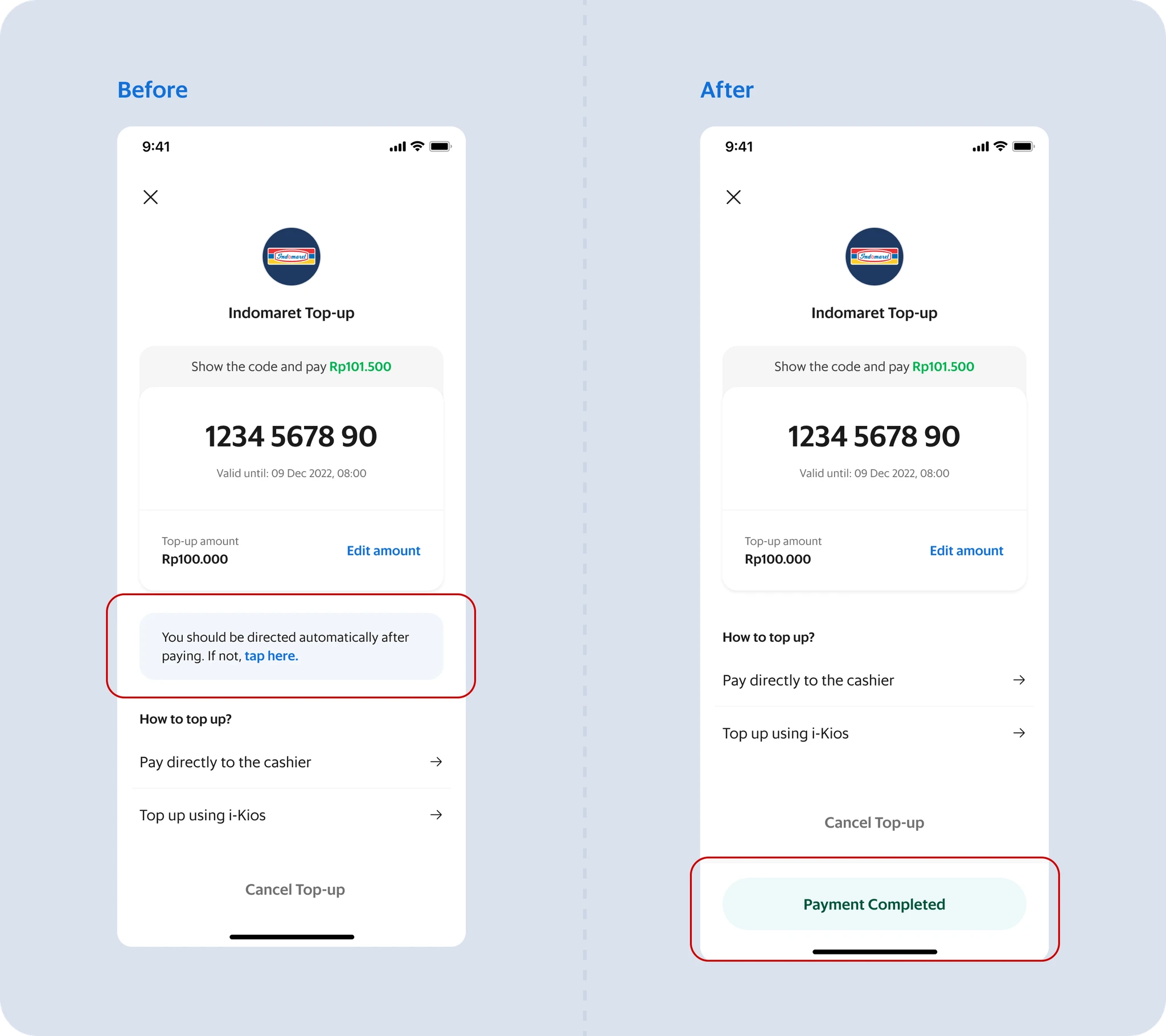
Based on the test results for this case, it was found that most users are not aware that clicking on the callout "You should be directed automatically..." would provide them with the latest top-up payment status. Additionally, some users were not even aware of the existence of the callout on the code page, even after scrolling through it several times.
“I'm not sure if the callout function is meant to show the status of my latest top-up payment.” - User
"If I don't receive a notification about the top-up payment status, I usually check my OVO balance manually to see if it has increased." - User
IMPROVEMENT
Design Improvement
Reducing crowdedness of the code page
We decided to simplify this page by regrouping informations and use visual affordance instead. We've also highlight the relevant informations to make it easier for the user to scan relevant information.
Improve the interface for manually checking the latest top-up payment status
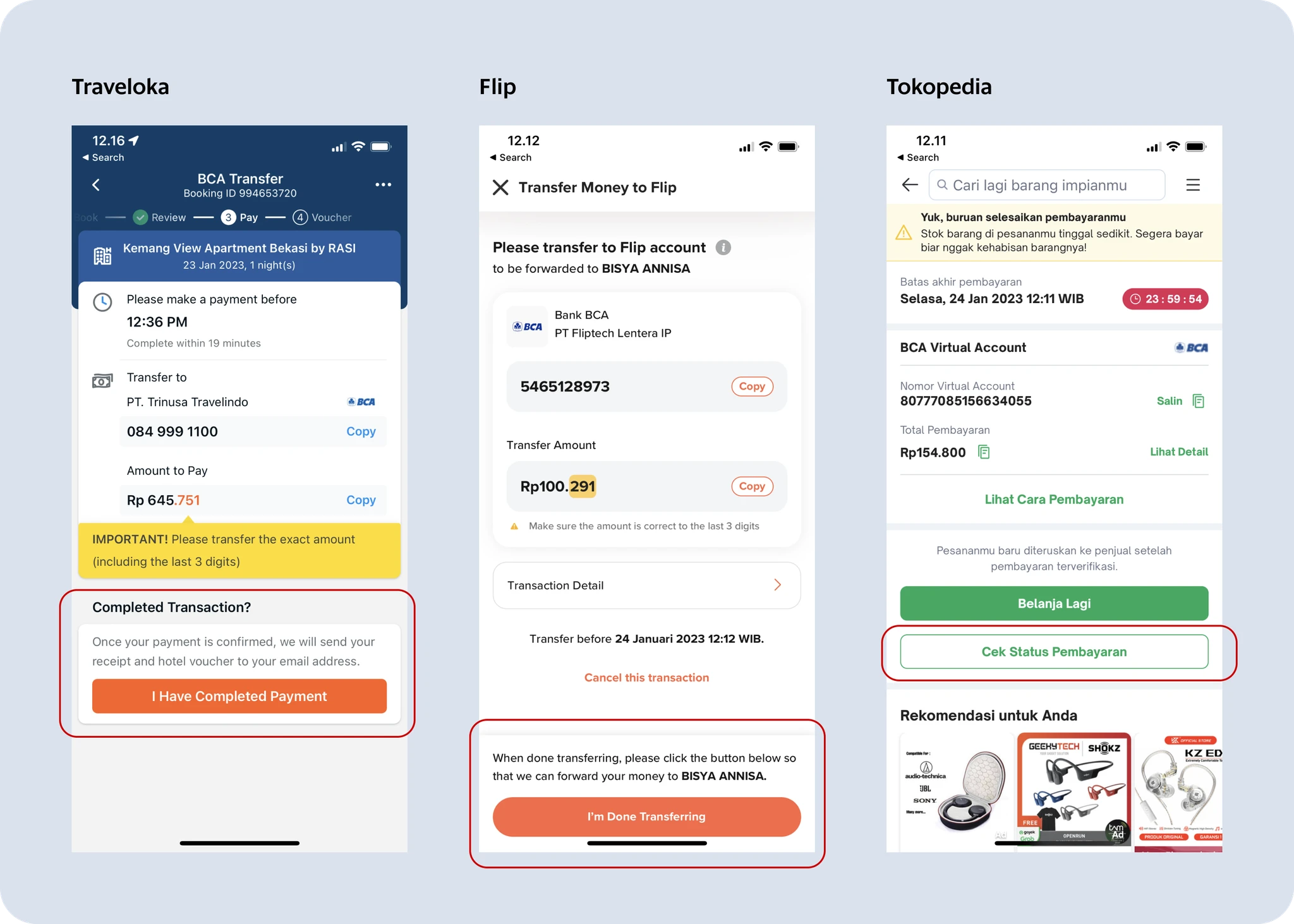
The key to solving this problem is intuition. During our exploration, we realized that one way to create a more intuitive design is to make it familiar to users so that they don't have to adapt to a new interface. To achieve this, we conducted a competitive analysis to identify design patterns that have been implemented in several popular applications with similar use cases. Here are the results:
Insight 💡
Competitors typically use a button with simple copy, such as 'Complete Payment', 'Transfer Complete', or 'Check Payment Status', to allow users to view the latest activity status.
Here's the solution design we created based on the results of our competitive analysis.
DESIGN
Final Design
IMPACT
🎉 We were able to convert 10% of users from cash to cashless and increase the Top-Up Completion Rate by 26% 🎉
After being released for 6 months, we have successfully converted many users from cash to cashless, which has had a significant impact on our transaction value. According to research, cashless users shop more frequently on our platform, with a potential increase of over 50%.
LESSON LEARNED
Things Learned & Things to be Improved
Just because there are fewer steps, it doesn't mean the flow is good.
Based on user testing, displaying a lot of information on one page increases the likelihood of that information being skipped. Rather than shortening the journey, it can actually cause users to make mistakes. It's better to share a lot of information across several screens, so users can focus more on their journey.
The engineer should be involved as soon as possible.
In this project, we aim to provide weekly updates to engineers to discuss various aspects of the design, such as design reviews and current issues. By involving the engineers in the design process, we help them understand the context and rationale for every design decision. This approach makes it easier for the engineers to accept proposed designs.
To all the designers, project managers, engineers, and other team members who contributed to this project, I extend my heartfelt thanks. ❤️

CHECK OUT MY OTHER WORKS
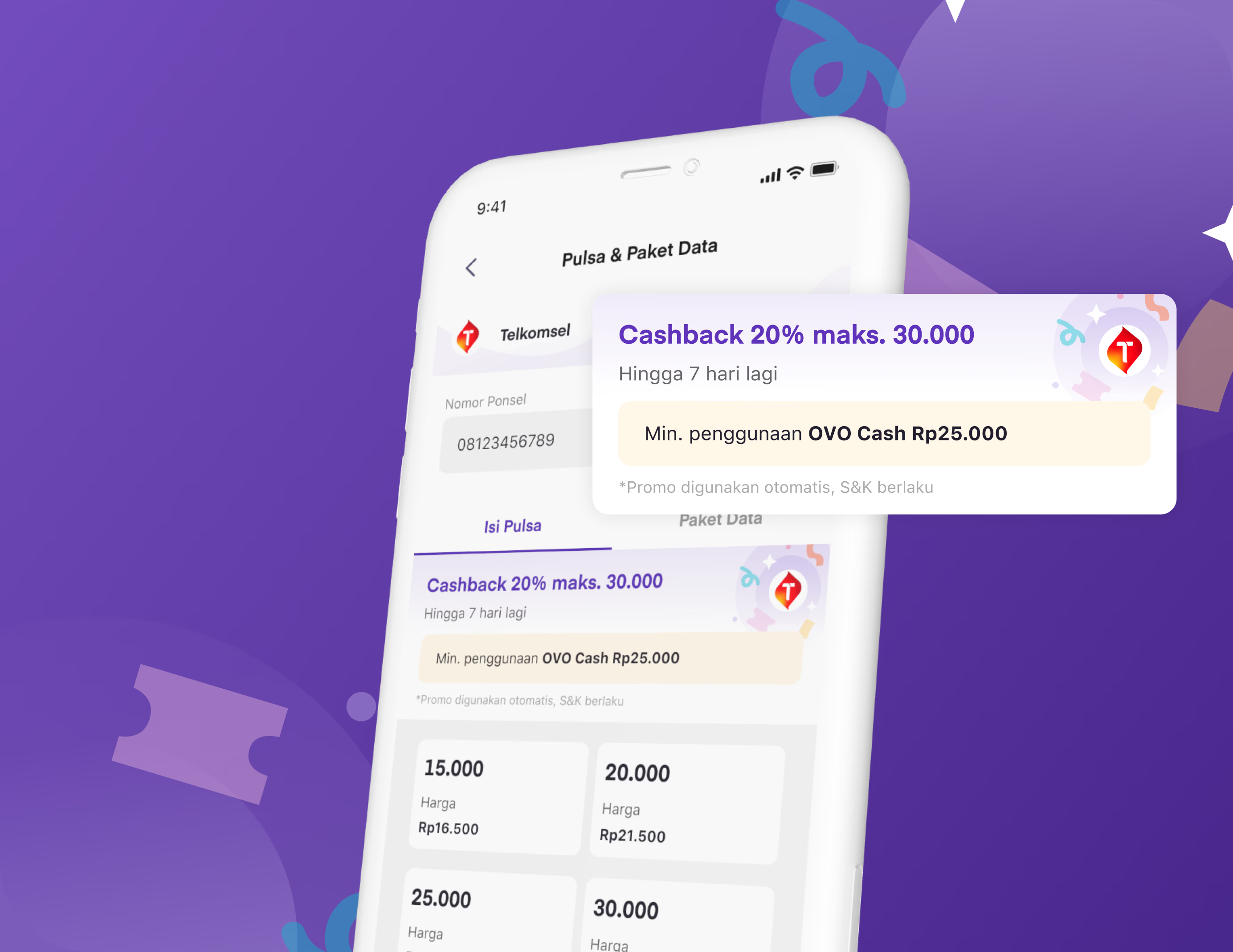
Better Promo Visibility: Increased Transaction & Reduced the Drop-off
Increasing the promo visibility during the transaction journey. We were successful in increasing transaction value by 10% and reducing the drop-off rate by 13%.
Read More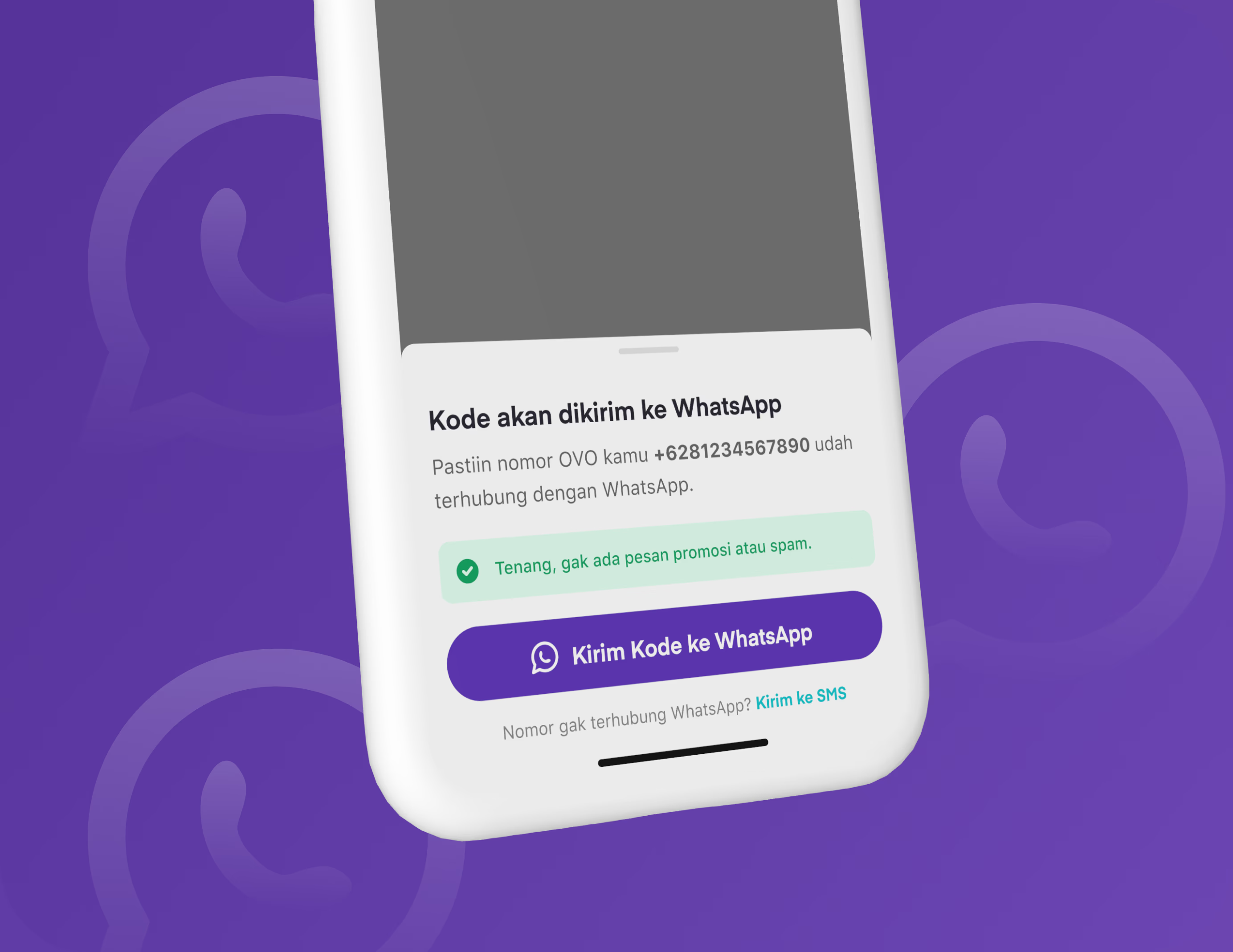
WhatsApp OTP: Reduced Drop-off Rate and Saved OTP Costs
Providing an alternative OTP method. Through this experiment, We were able to reduce the drop-off rate on the OTP page by 48% and save OTP costs by 13%.
Read More